How many days could you last?
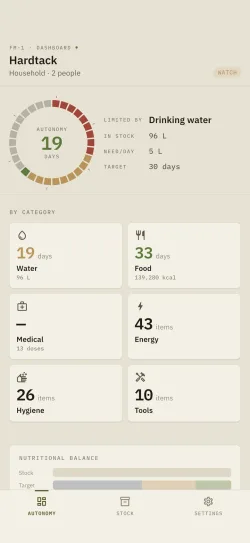
Hardtack doesn't count boxes: it computes your real self-sufficiency. The engine cross-references your stock with your household's needs across three critical axes, then derives an overall score.
You can try the calculation before even installing the app, with the online days of supply calculator, no account and nothing sent anywhere.
Liters in stock ÷ daily need × household members.
Food energy intake measured against the rations needed.
Chronic treatments and first-aid kit tracked by dosage.
+ household profiles · adults / children / pets, personalized needs.
Status is always read against your target, which you set yourself, from a few days to a year.
Everything you need to manage a serious stockpile.
Inventory
Add, edit and delete items: quantity, unit, cost, notes. 10 categories, from food storage to documents, and storage locations you create yourself (pantry, garage, vehicle, cellar…).
Scan & lookup
UPC and EAN barcode scanning. Cascading online lookup Open Food Facts → USDA → UPCitemdb → manual entry. Once identified, a product is kept on the device and comes back with no network.
Expiry & alerts
One expiration date per item, use by as well as best before, tracked without you thinking about it. A minimum restocking threshold and local notifications 7 days then 1 day ahead.
Self-sufficiency score
Multi-axis engine: days of water, calories and medication, aggregated into an overall score. Household profiles with personalized needs.
Kits
Eight starter kits (72-hour bag, vehicle, earthquake, blackout, EDC, infant, pets, first-aid), with completion progress as a percentage. Each one can be hidden, reordered, renamed and edited line by line. The 72-hour bag is open from the free version, creating and duplicating are part of the full version.
Rotation & consumption
First-in-first-out “use first” view to avoid waste, and every removal eats into what expires soonest first. Scan-out mode decrements stock code after code, without leaving the camera.
Budget
Total stock value in real time, with a per-category breakdown. An optional monthly budget gives you a reference point to read that value against.
Data & backup
CSV / JSON export at any time. Local file backup and restore: your data stays on your device, under your control.
Offline, everywhere
Offline-first: inventory, self-sufficiency calculations and expiry alerts work in the cellar, up a mountain or during a network outage. The app is translated into French, English, German and Spanish.
Seven screens, in the order you'll meet them.
How many days would you last?
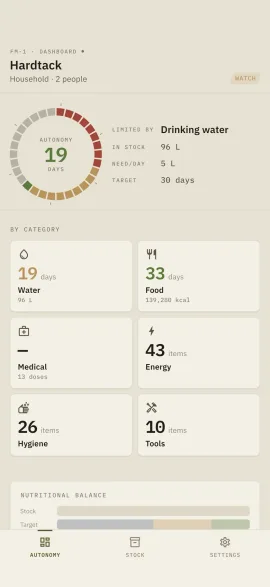
The engine cross-checks your stock against your household's real needs on three axes: water, calories, medication. It returns a number of days and names the limiting factor, the one capping everything else.
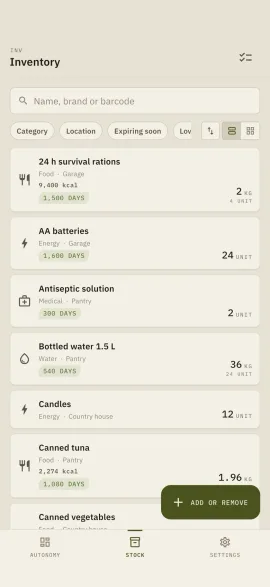
Your whole stock, laid flat.
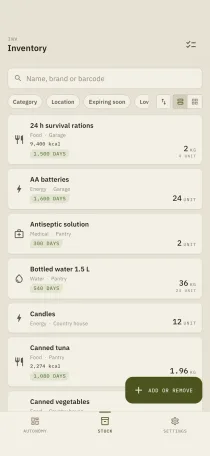
Every item carries its category, its location, its quantity and the days left before expiry. The field at the top searches as you type, the chips filter by category, by location or by urgency, and two pinned controls drive the sort order and the list-or-grid switch. All of it works offline.
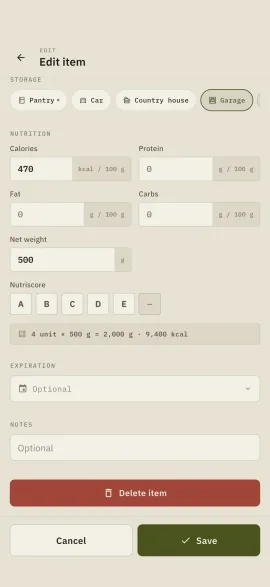
One item, everything it carries.
Nutrition values filled in automatically on scan, net weight, Nutri-Score, unit cost. One expiry date per item, and the threshold that feeds the shopping list.
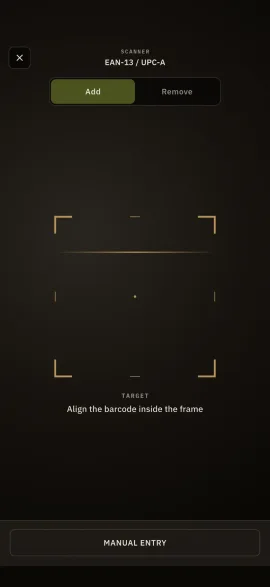
The barcode does the work.
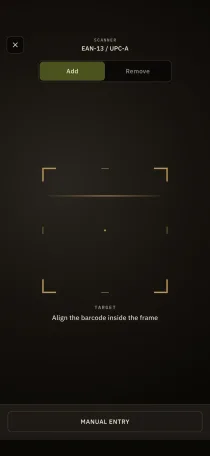
EAN-13 viewfinder, cascading online lookup through Open Food Facts, then USDA, then UPCitemdb. Once a product is identified, its name and nutrition values stay on the device and come back with no network. Manual entry as a fallback, always.
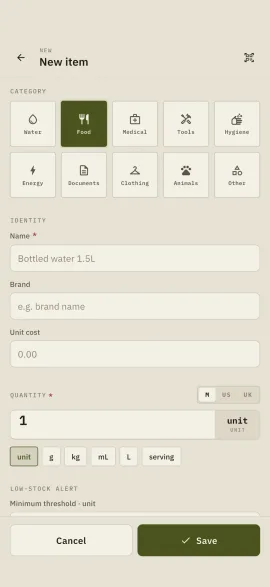
Thirty seconds per item.
Ten categories, six units, three measurement systems. The restock threshold is set item by item and feeds straight into the shopping list.
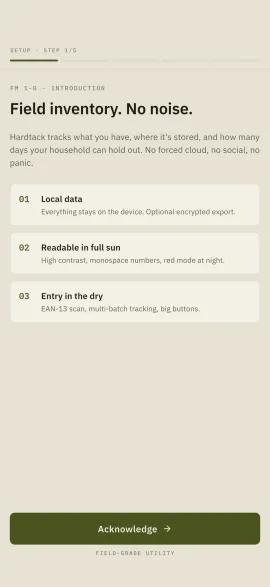
Ready in five screens.
Household make-up, storage locations, self-sufficiency target. No account to create, no email address asked. Replayable at any time from settings.
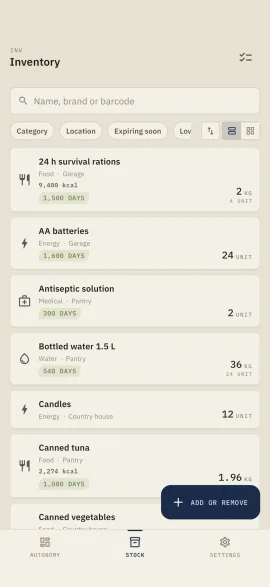
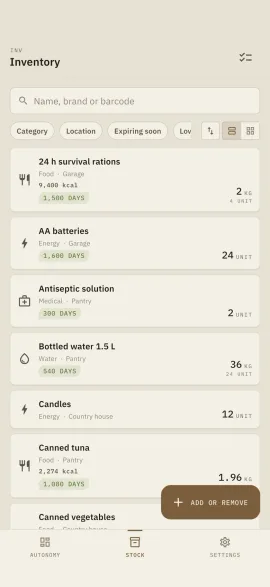
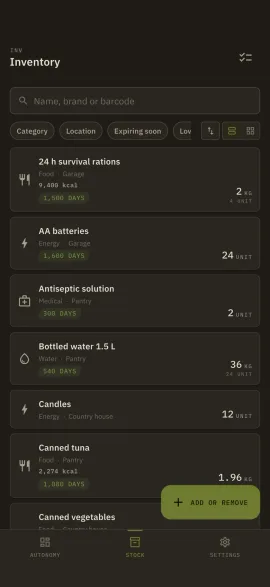
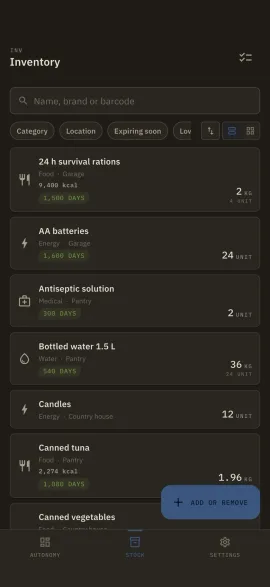
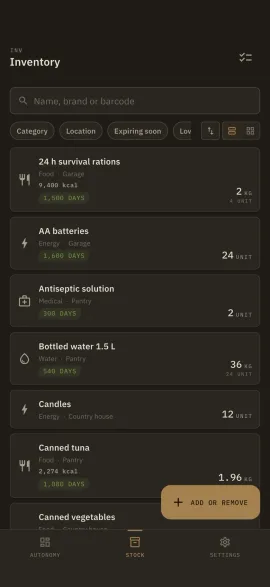
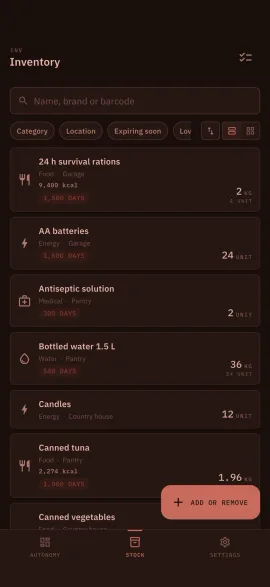
Tuned to your ground.
Three themes: Sand for broad daylight, Field for the night watch, Night-Op in red light to preserve night vision. Three accents, three measurement systems, four languages. Change the theme or the accent below, the screenshot follows.
Night-Op imposes its own red tint: under night lighting, the accent choice does not apply.
Your reserves are nobody's business but yours.
Operational security isn't a paid add-on. Hardtack is designed so that nobody (not a server, not a snoop, not us) knows what you store.
Biometric lock
Face ID, Touch ID or a PIN on launch.
Name obfuscation
Hide the real label of your items in one tap.
Decoy mode
A decoy inventory appears under a second code.
Encrypted P2P sharing
Local transfer via encrypted QR, without going through the cloud.
Start from a template, track your completion.
Pay once. Keep it for life.
No subscription, no tier above, no module sold separately. A free version to find your feet, a single purchase that lifts every limit at once, and nothing to pay after that.
- ✓One purchase for the whole of v1.0: unlimited items, locations and profiles, detailed self-sufficiency, privacy, export and sharing. The free and full breakdown is on the Download page.
- ✓v1.x updates included.
- ✓4 languages · core features work without a connection.
- ✓Your data stays on your device.
Q1Does Hardtack really work without a connection?
Q2Where is my data stored?
Q3Which platforms are supported?
Q4How is the self-sufficiency score calculated?
Q5Is it a subscription?
Q6What exactly does the inventory handle?
Q7I’m switching phones, do I get everything back?
Twenty-five questions on pantry inventory and expiration dates are answered in the full FAQ. The feature-by-feature detail is on the Features page, and the user guide walks through the gestures one by one.